Geographic Map (GeoChart)
Overview
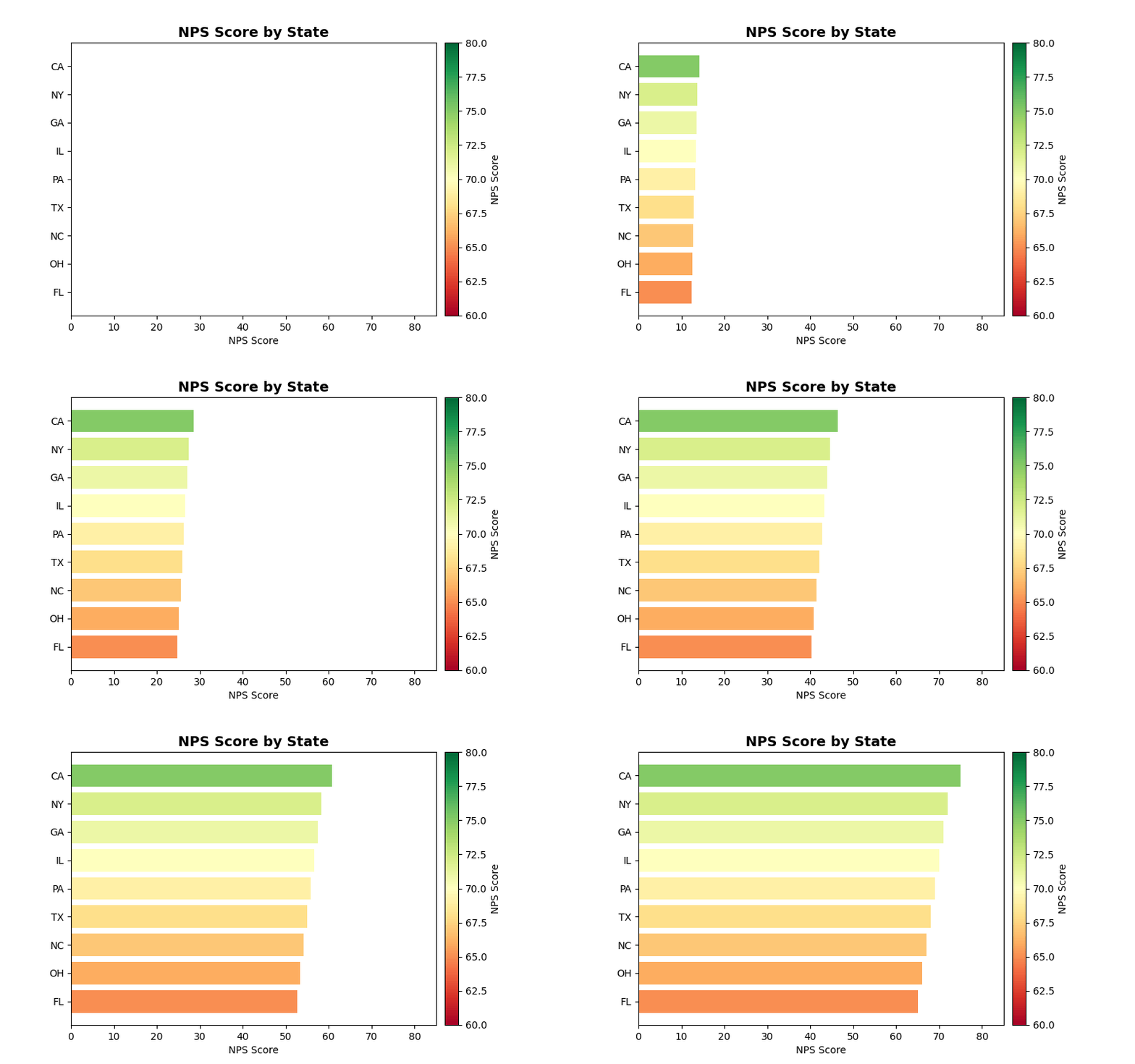
Visualizes data on geographic maps with color-coded regions or markers. Perfect for showing satisfaction scores, response volumes, or performance metrics across different locations.
Sample Preview
Best Use Cases
- Regional Satisfaction - NPS/CSAT scores by state, country, or region
- Response Distribution - Survey volume by geographic location
- Market Performance - Business metrics across territories
Sample Data Structure
AskRITA UniversalChartData
from askrita.sqlagent.formatters.DataFormatter import UniversalChartData

geo_data = UniversalChartData(
    type="geo",
    title="NPS Score by State",
    datasets=[],  # Empty for geo charts
    geographic_data=[
        {"location": "US-CA", "value": 75},
        {"location": "US-TX", "value": 68},
        {"location": "US-NY", "value": 72},
        {"location": "US-FL", "value": 65},
        {"location": "US-IL", "value": 70},
        {"location": "US-PA", "value": 69}
    ]
)
Google Charts Implementation
HTML Structure
<!DOCTYPE html>
<html>
<head>
    <script type="text/javascript" src="https://www.gstatic.com/charts/loader.js"></script>
</head>
<body>
    <div id="geo_chart" style="width: 900px; height: 500px;"></div>
</body>
</html>
JavaScript Code - US States
google.charts.load('current', {
    'packages':['geochart'],
    'mapsApiKey': 'YOUR_API_KEY' // Optional for basic maps
});
google.charts.setOnLoadCallback(drawGeoChart);

function drawGeoChart() {
    var data = google.visualization.arrayToDataTable([
        ['State', 'NPS Score'],
        ['US-CA', 75],
        ['US-TX', 68],
        ['US-NY', 72],
        ['US-FL', 65],
        ['US-IL', 70],
        ['US-PA', 69],
        ['US-OH', 66],
        ['US-GA', 71],
        ['US-NC', 67],
        ['US-MI', 64]
    ]);

    var options = {
        title: 'NPS Score by State',
        titleTextStyle: {
            fontSize: 18,
            bold: true
        },
        region: 'US',
        displayMode: 'regions',
        resolution: 'provinces',
        width: 900,
        height: 500,
        colorAxis: {
            minValue: 0,
            maxValue: 100,
            colors: ['#FF6B6B', '#FFE66D', '#4ECDC4', '#45B7D1']
        },
        backgroundColor: '#f5f5f5',
        datalessRegionColor: '#E8E8E8',
        defaultColor: '#E8E8E8',
        tooltip: {
            textStyle: {
                fontSize: 12
            }
        }
    };

    var chart = new google.visualization.GeoChart(document.getElementById('geo_chart'));
    chart.draw(data, options);
}
JavaScript Code - World Countries
function drawWorldGeoChart() {
    var data = google.visualization.arrayToDataTable([
        ['Country', 'Customer Satisfaction'],
        ['United States', 72],
        ['Canada', 78],
        ['United Kingdom', 69],
        ['Germany', 74],
        ['France', 71],
        ['Australia', 76],
        ['Japan', 68],
        ['Brazil', 65],
        ['India', 63],
        ['Mexico', 67]
    ]);

    var options = {
        title: 'Global Customer Satisfaction Scores',
        width: 900,
        height: 500,
        colorAxis: {
            minValue: 50,
            maxValue: 80,
            colors: ['#e74c3c', '#f39c12', '#f1c40f', '#2ecc71']
        }
    };

    var chart = new google.visualization.GeoChart(document.getElementById('world_geo_chart'));
    chart.draw(data, options);
}
React Implementation
import React, { useEffect, useRef } from 'react';

interface GeoChartProps {
    data: Array<{
        location: string;
        value: number;
    }>;
    title?: string;
    region?: string;
    colorRange?: {
        min: number;
        max: number;
        colors: string[];
    };
}

const GeoChart: React.FC<GeoChartProps> = ({
    data,
    title = "Geographic Data",
    region = "US",
    colorRange = {
        min: 0,
        max: 100,
        colors: ['#FF6B6B', '#FFE66D', '#4ECDC4', '#45B7D1']
    }
}) => {
    const chartRef = useRef<HTMLDivElement>(null);

    useEffect(() => {
        if (!window.google || !chartRef.current) return;

        const chartData = new google.visualization.DataTable();
        chartData.addColumn('string', 'Location');
        chartData.addColumn('number', 'Value');

        const rows = data.map(item => [item.location, item.value]);
        chartData.addRows(rows);

        const options = {
            title: title,
            region: region,
            displayMode: 'regions',
            resolution: region === 'US' ? 'provinces' : 'countries',
            width: 900,
            height: 500,
            colorAxis: {
                minValue: colorRange.min,
                maxValue: colorRange.max,
                colors: colorRange.colors
            },
            backgroundColor: '#f5f5f5',
            datalessRegionColor: '#E8E8E8'
        };

        const chart = new google.visualization.GeoChart(chartRef.current);
        chart.draw(chartData, options);
    }, [data, title, region, colorRange]);

    return <div ref={chartRef} style={{ width: '900px', height: '500px' }} />;
};

export default GeoChart;
Survey Data Examples
Regional NPS Analysis
// NPS scores by US regions
var data = google.visualization.arrayToDataTable([
    ['State', 'NPS Score', 'Response Count'],
    ['US-CA', 75, 2450],
    ['US-TX', 68, 1890],
    ['US-NY', 72, 2100],
    ['US-FL', 65, 1650],
    ['US-IL', 70, 1200],
    ['US-PA', 69, 980],
    ['US-OH', 66, 850],
    ['US-GA', 71, 920],
    ['US-NC', 67, 780],
    ['US-MI', 64, 690]
]);
Store Location Performance
// Individual store locations with markers
var data = google.visualization.arrayToDataTable([
    ['City', 'CSAT Score'],
    ['New York, NY', 8.2],
    ['Los Angeles, CA', 7.8],
    ['Chicago, IL', 8.0],
    ['Houston, TX', 7.5],
    ['Phoenix, AZ', 7.9],
    ['Philadelphia, PA', 8.1],
    ['San Antonio, TX', 7.6],
    ['San Diego, CA', 8.3],
    ['Dallas, TX', 7.7],
    ['San Jose, CA', 8.4]
]);

var options = {
    title: 'Store Performance by City',
    displayMode: 'markers',
    colorAxis: {
        minValue: 7.0,
        maxValue: 8.5,
        colors: ['#FF6B6B', '#FFE66D', '#4ECDC4']
    }
};
International Markets
// Global customer satisfaction
var data = google.visualization.arrayToDataTable([
    ['Country', 'Satisfaction Score'],
    ['United States', 72],
    ['Canada', 78],
    ['United Kingdom', 69],
    ['Germany', 74],
    ['France', 71],
    ['Australia', 76],
    ['Japan', 68],
    ['South Korea', 70],
    ['Singapore', 77],
    ['Netherlands', 75]
]);
Advanced Features
Custom Tooltips
var options = {
    title: 'Regional Performance',
    tooltip: {
        textStyle: {
            color: '#333',
            fontSize: 14
        },
        showColorCode: true,
        trigger: 'focus'
    }
};
Interactive Selection
function drawInteractiveGeoChart() {
    var chart = new google.visualization.GeoChart(document.getElementById('geo_chart'));

    // Add selection listener
    google.visualization.events.addListener(chart, 'select', function() {
        var selection = chart.getSelection();
        if (selection.length > 0) {
            var row = selection[0].row;
            var state = data.getValue(row, 0);
            var score = data.getValue(row, 1);
            alert(`Selected: ${state} - Score: ${score}`);
        }
    });

    chart.draw(data, options);
}
Drill-Down Functionality
function createDrillDownGeo() {
    // Start with country view
    let currentLevel = 'country';
    let currentData = countryData;

    google.visualization.events.addListener(chart, 'select', function() {
        const selection = chart.getSelection();
        if (selection.length > 0) {
            const selectedCountry = currentData.getValue(selection[0].row, 0);

            if (currentLevel === 'country' && selectedCountry === 'United States') {
                // Drill down to states
                currentLevel = 'state';
                currentData = stateData;
                drawChart(currentData, {region: 'US', resolution: 'provinces'});
            }
        }
    });
}
Color Schemes for Different Metrics
NPS Color Scale
colorAxis: {
    minValue: -100,
    maxValue: 100,
    colors: ['#d32f2f', '#ff9800', '#ffc107', '#8bc34a', '#4caf50']
}
CSAT Color Scale (1-10)
colorAxis: {
    minValue: 1,
    maxValue: 10,
    colors: ['#ff5252', '#ff9800', '#ffeb3b', '#8bc34a', '#4caf50']
}
Response Volume Scale
colorAxis: {
    minValue: 0,
    maxValue: 5000,
    colors: ['#e3f2fd', '#90caf9', '#42a5f5', '#1976d2', '#0d47a1']
}
Key Features
- Regional Coloring - Color-coded geographic regions
- Multiple Display Modes - Regions, markers, or text
- Custom Color Scales - Flexible value-to-color mapping
- Interactive Selection - Click handling for drill-down
- Responsive Design - Adapts to container size
- Tooltip Customization - Rich hover information
When to Use
✅ Perfect for: - Regional performance analysis - Geographic distribution of metrics - Store/location comparisons - Market penetration analysis - Territory-based reporting
❌ Avoid when: - Data not location-based - Too many small regions (cluttered) - Precise location accuracy needed - Time-series analysis required