Pie Chart & Donut Chart
Overview
Displays data as proportional slices of a circle, perfect for showing part-to-whole relationships. Donut charts are pie charts with a hollow center, often used for modern, clean designs.
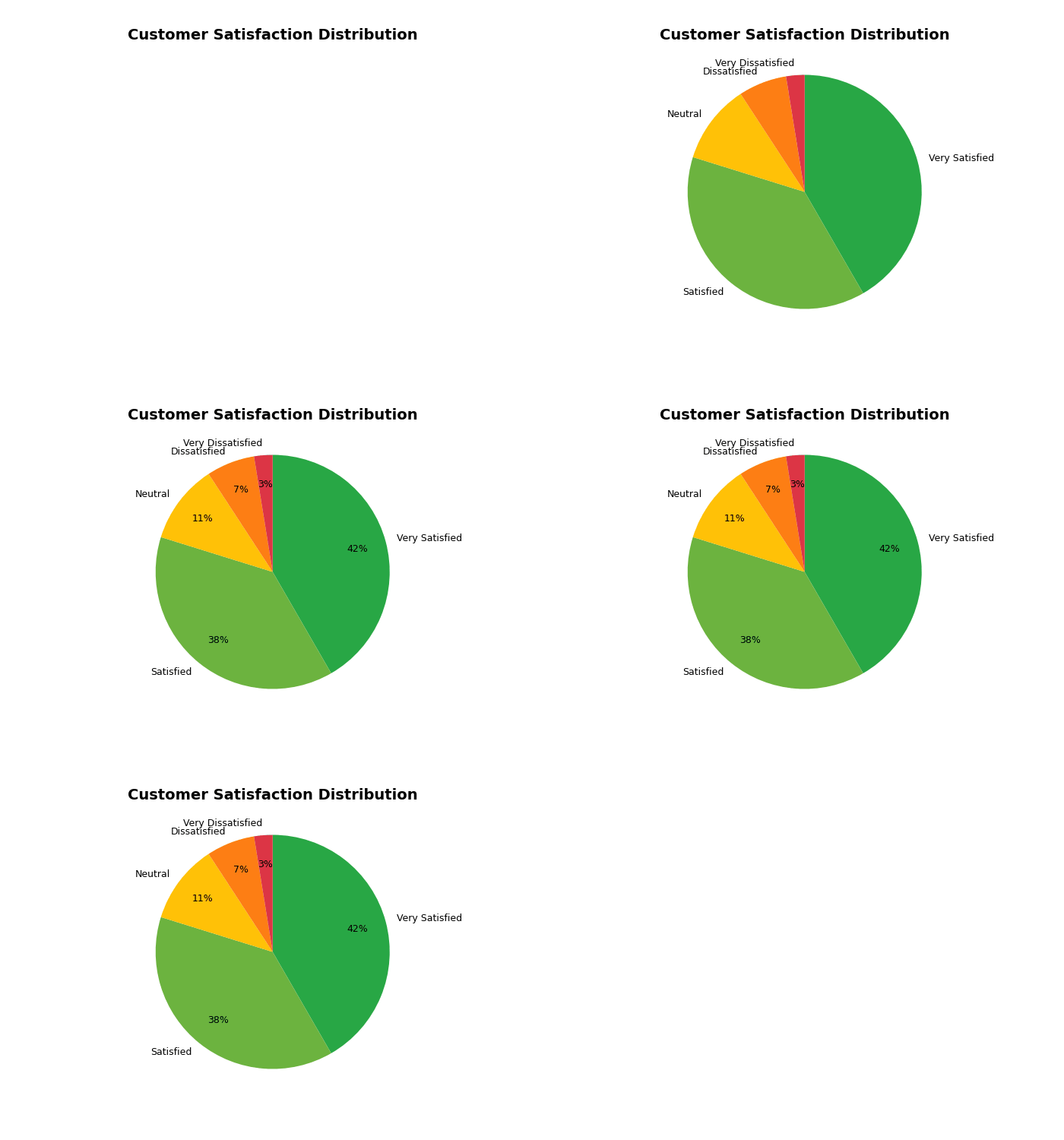
Sample Preview
Best Use Cases
- NPS Distribution - Show Promoters, Passives, and Detractors percentages
- Response Channel Breakdown - Display survey responses by channel
- Satisfaction Categories - Visualize satisfaction level distribution
Sample Data Structure
AskRITA UniversalChartData
from askrita.sqlagent.formatters.DataFormatter import UniversalChartData, ChartDataset, DataPoint

pie_data = UniversalChartData(
    type="pie",
    title="Customer Satisfaction Distribution",
    labels=["Very Satisfied", "Satisfied", "Neutral", "Dissatisfied", "Very Dissatisfied"],
    datasets=[
        ChartDataset(
            label="Response Count",
            data=[
                DataPoint(y=4250, category="Very Satisfied"),
                DataPoint(y=3890, category="Satisfied"),
                DataPoint(y=1120, category="Neutral"),
                DataPoint(y=680, category="Dissatisfied"),
                DataPoint(y=260, category="Very Dissatisfied")
            ]
        )
    ]
)
Google Charts Implementation
HTML Structure
<!DOCTYPE html>
<html>
<head>
    <script type="text/javascript" src="https://www.gstatic.com/charts/loader.js"></script>
</head>
<body>
    <div id="pie_chart" style="width: 900px; height: 500px;"></div>
    <div id="donut_chart" style="width: 900px; height: 500px;"></div>
</body>
</html>
JavaScript Code - Pie Chart
google.charts.load('current', {'packages':['corechart']});
google.charts.setOnLoadCallback(drawPieChart);

function drawPieChart() {
    var data = google.visualization.arrayToDataTable([
        ['Satisfaction Level', 'Response Count'],
        ['Very Satisfied', 4250],
        ['Satisfied', 3890],
        ['Neutral', 1120],
        ['Dissatisfied', 680],
        ['Very Dissatisfied', 260]
    ]);

    var options = {
        title: 'Customer Satisfaction Distribution',
        titleTextStyle: {
            fontSize: 18,
            bold: true
        },
        width: 900,
        height: 500,
        colors: ['#28a745', '#6cb33f', '#ffc107', '#fd7e14', '#dc3545'],
        backgroundColor: 'white',
        chartArea: {
            left: 50,
            top: 80,
            width: '90%',
            height: '80%'
        },
        legend: {
            position: 'right',
            alignment: 'center',
            textStyle: {
                fontSize: 12
            }
        },
        pieSliceText: 'percentage',
        pieSliceTextStyle: {
            fontSize: 14,
            color: 'white'
        }
    };

    var chart = new google.visualization.PieChart(document.getElementById('pie_chart'));
    chart.draw(data, options);
}
JavaScript Code - Donut Chart
function drawDonutChart() {
    var data = google.visualization.arrayToDataTable([
        ['NPS Category', 'Percentage'],
        ['Promoters (9-10)', 58],
        ['Passives (7-8)', 27],
        ['Detractors (0-6)', 15]
    ]);

    var options = {
        title: 'Net Promoter Score Distribution',
        titleTextStyle: {
            fontSize: 18,
            bold: true
        },
        width: 900,
        height: 500,
        pieHole: 0.4, // Creates donut effect
        colors: ['#28a745', '#ffc107', '#dc3545'],
        backgroundColor: 'white',
        chartArea: {
            left: 50,
            top: 80,
            width: '90%',
            height: '80%'
        },
        legend: {
            position: 'bottom',
            alignment: 'center'
        },
        pieSliceText: 'value',
        pieSliceTextStyle: {
            fontSize: 16,
            color: 'white',
            bold: true
        }
    };

    var chart = new google.visualization.PieChart(document.getElementById('donut_chart'));
    chart.draw(data, options);
}
React Implementation
import React, { useEffect, useRef } from 'react';

interface PieChartProps {
    data: Array<{
        category: string;
        value: number;
    }>;
    title?: string;
    width?: number;
    height?: number;
    isDonut?: boolean;
    colors?: string[];
}

const PieChart: React.FC<PieChartProps> = ({
    data,
    title = "Pie Chart",
    width = 900,
    height = 500,
    isDonut = false,
    colors = ['#4285f4', '#34a853', '#fbbc04', '#ea4335', '#9aa0a6']
}) => {
    const chartRef = useRef<HTMLDivElement>(null);

    useEffect(() => {
        if (!window.google || !chartRef.current) return;

        const chartData = new google.visualization.DataTable();
        chartData.addColumn('string', 'Category');
        chartData.addColumn('number', 'Value');

        const rows = data.map(item => [item.category, item.value]);
        chartData.addRows(rows);

        const options = {
            title: title,
            width: width,
            height: height,
            colors: colors,
            pieHole: isDonut ? 0.4 : 0,
            chartArea: {
                left: 50,
                top: 80,
                width: '90%',
                height: '80%'
            },
            legend: {
                position: 'right',
                alignment: 'center'
            },
            pieSliceText: 'percentage',
            pieSliceTextStyle: {
                fontSize: 14,
                color: 'white'
            }
        };

        const chart = new google.visualization.PieChart(chartRef.current);
        chart.draw(chartData, options);
    }, [data, title, width, height, isDonut, colors]);

    return <div ref={chartRef} style={{ width: `${width}px`, height: `${height}px` }} />;
};

export default PieChart;
Survey Data Examples
NPS Distribution
// Net Promoter Score breakdown
var data = google.visualization.arrayToDataTable([
    ['NPS Category', 'Count', 'Percentage'],
    ['Promoters (9-10)', 5800, 58],
    ['Passives (7-8)', 2700, 27],
    ['Detractors (0-6)', 1500, 15]
]);

var options = {
    title: 'Net Promoter Score Distribution',
    pieHole: 0.4,
    colors: ['#28a745', '#ffc107', '#dc3545'],
    slices: {
        0: { offset: 0.1 }, // Slightly separate promoters slice
        2: { offset: 0.05 }  // Slightly separate detractors slice
    },
    pieSliceText: 'label',
    tooltip: {
        text: 'both' // Show both value and percentage
    }
};
Response Channel Distribution
// Survey responses by channel
var data = google.visualization.arrayToDataTable([
    ['Channel', 'Responses'],
    ['Email Survey', 15420],
    ['SMS Survey', 8932],
    ['Phone Survey', 5621],
    ['In-Store Kiosk', 3210],
    ['Mobile App', 2890],
    ['Website', 1456]
]);

var options = {
    title: 'Survey Response Distribution by Channel',
    colors: ['#4285f4', '#34a853', '#fbbc04', '#ea4335', '#9467bd', '#8c564b'],
    pieSliceText: 'percentage',
    legend: {
        position: 'bottom',
        alignment: 'center',
        maxLines: 2
    }
};
Service Area Satisfaction
// Satisfaction levels across service areas
var data = google.visualization.arrayToDataTable([
    ['Service Area', 'Avg Satisfaction Score'],
    ['Walk-in Clinic', 8.7],
    ['Retail Store', 8.4],
    ['Wellness Center', 8.2],
    ['Premium Services', 7.9],
    ['Customer Service', 7.6],
    ['Digital Experience', 7.1]
]);

var options = {
    title: 'Average Satisfaction Score by Service Area',
    pieHole: 0.3,
    colors: ['#1f77b4', '#ff7f0e', '#2ca02c', '#d62728', '#9467bd', '#8c564b'],
    pieSliceText: 'value',
    pieSliceTextStyle: {
        fontSize: 12,
        color: 'white'
    }
};
Advanced Features
3D Pie Chart
function draw3DPieChart() {
    var options = {
        title: 'Customer Satisfaction Distribution',
        is3D: true,
        colors: ['#28a745', '#6cb33f', '#ffc107', '#fd7e14', '#dc3545'],
        pieSliceText: 'percentage',
        pieSliceTextStyle: {
            fontSize: 14
        }
    };

    var chart = new google.visualization.PieChart(document.getElementById('pie_chart'));
    chart.draw(data, options);
}
Exploded Pie Chart
function drawExplodedPieChart() {
    var options = {
        title: 'NPS Distribution with Emphasis',
        pieHole: 0.2,
        slices: {
            0: { offset: 0.2, color: '#28a745' }, // Promoters - exploded
            1: { offset: 0.0, color: '#ffc107' }, // Passives - normal
            2: { offset: 0.1, color: '#dc3545' }  // Detractors - slightly exploded
        },
        pieSliceText: 'label',
        pieSliceTextStyle: {
            fontSize: 14,
            bold: true
        }
    };

    var chart = new google.visualization.PieChart(document.getElementById('pie_chart'));
    chart.draw(data, options);
}
Interactive Pie Chart with Drill-Down
function drawInteractivePieChart() {
    var chart = new google.visualization.PieChart(document.getElementById('pie_chart'));

    google.visualization.events.addListener(chart, 'select', function() {
        var selection = chart.getSelection();
        if (selection.length > 0) {
            var row = selection[0].row;
            var category = data.getValue(row, 0);
            var value = data.getValue(row, 1);

            showDrillDownChart(category, value);
        }
    });

    chart.draw(data, options);
}

function showDrillDownChart(category, value) {
    // Load detailed breakdown for selected category
    const detailData = getDetailedData(category);

    // Create new chart for detailed view
    const detailChart = new google.visualization.PieChart(
        document.getElementById('detail_chart')
    );

    const detailOptions = {
        title: `${category} - Detailed Breakdown`,
        pieHole: 0.3,
        colors: getDetailColors(category)
    };

    detailChart.draw(detailData, detailOptions);

    // Show detail panel
    document.getElementById('detail_panel').style.display = 'block';
}
Donut Chart with Center Text
function drawDonutWithCenterText() {
    var data = google.visualization.arrayToDataTable([
        ['Category', 'Value'],
        ['Promoters', 58],
        ['Passives', 27],
        ['Detractors', 15]
    ]);

    var options = {
        title: 'NPS Score: 43',
        titlePosition: 'none', // Hide default title
        pieHole: 0.5,
        colors: ['#28a745', '#ffc107', '#dc3545'],
        legend: { position: 'none' },
        pieSliceText: 'none',
        tooltip: { trigger: 'selection' },
        chartArea: {
            left: 50,
            top: 50,
            width: '90%',
            height: '90%'
        }
    };

    var chart = new google.visualization.PieChart(document.getElementById('donut_chart'));

    google.visualization.events.addListener(chart, 'ready', function() {
        // Add custom center text
        const chartArea = chart.getChartLayoutInterface().getChartAreaBoundingBox();
        const centerX = chartArea.left + chartArea.width / 2;
        const centerY = chartArea.top + chartArea.height / 2;

        // Calculate NPS score
        const npsScore = 58 - 15; // Promoters - Detractors

        // Add center text overlay
        addCenterText('NPS Score', npsScore.toString(), centerX, centerY);
    });

    chart.draw(data, options);
}

function addCenterText(label, value, x, y) {
    const container = document.getElementById('donut_chart');
    const overlay = document.createElement('div');
    overlay.innerHTML = `
        <div style="position: absolute; left: ${x-50}px; top: ${y-20}px;
                    width: 100px; text-align: center; pointer-events: none;">
            <div style="font-size: 24px; font-weight: bold; color: #333;">${value}</div>
            <div style="font-size: 12px; color: #666;">${label}</div>
        </div>
    `;
    container.appendChild(overlay);
}
Key Features
- Part-to-Whole Visualization - Clear representation of proportions
- Color Coding - Visual category differentiation
- Interactive Selection - Click handling for detailed analysis
- Multiple Styles - 2D, 3D, donut, exploded variations
- Custom Labels - Flexible text display options
When to Use
✅ Perfect for: - Part-to-whole relationships - Category distribution (3-7 categories) - Percentage breakdowns - Simple proportion comparisons - Dashboard summary widgets
❌ Avoid when: - Too many categories (>7) - Precise value comparison needed - Time series data - Multiple data series - Small differences between values
Design Best Practices
// Color schemes for different contexts
const satisfactionColors = [
    '#28a745', // Very Satisfied - Green
    '#6cb33f', // Satisfied - Light Green
    '#ffc107', // Neutral - Yellow
    '#fd7e14', // Dissatisfied - Orange
    '#dc3545'  // Very Dissatisfied - Red
];

const npsColors = [
    '#28a745', // Promoters - Green
    '#ffc107', // Passives - Yellow
    '#dc3545'  // Detractors - Red
];

// Accessibility considerations
const accessibleColors = [
    '#1f77b4', '#ff7f0e', '#2ca02c', '#d62728',
    '#9467bd', '#8c564b', '#e377c2', '#7f7f7f'
];
Performance Tips
// For datasets with many small slices, group small values
function groupSmallSlices(data, threshold = 3) {
    const total = data.reduce((sum, item) => sum + item.value, 0);
    const grouped = [];
    let othersValue = 0;

    data.forEach(item => {
        const percentage = (item.value / total) * 100;
        if (percentage >= threshold) {
            grouped.push(item);
        } else {
            othersValue += item.value;
        }
    });

    if (othersValue > 0) {
        grouped.push({ category: 'Others', value: othersValue });
    }

    return grouped;
}